75Play

75Play

v2.0.3 · Changan CS75 Plus 2020 · Wi‑Fi Direct

Wireless CarPlay
for your CS75 Plus.

Open-source wireless CarPlay receiver. Wi‑Fi Direct / car hotspot / existing Wi‑Fi (LAN), immersive display — no jailbreak, dongle, or account.

Mirror 1 · Mirror 2

Install on the head unit. Not Apple-certified; not affiliated with Apple or Changan.

Built for this car

  • Three wireless modesWi‑Fi Direct is the default and uses IPv4 only. Car hotspot and existing Wi‑Fi stay available. An old LocalOnly choice is treated as the car hotspot. A failed direct link resets once before the dialog. No USB — this unit has no TUN.
  • Steering-wheel keysWhile CarPlay is in front: voice wakes Siri, previous / next track, answer / hang up. Volume and SRC stay with the head unit. Key-test turns off when CarPlay ends or the app crashes.
  • Fullscreen pictureAlways fullscreen, SurfaceView, H.264. Frame rate 15 / 30 / 45 / 60, default 30. Medium and small sizes can show Smart Display Zoom on the iPhone. Three-finger swipe returns to 75Play.
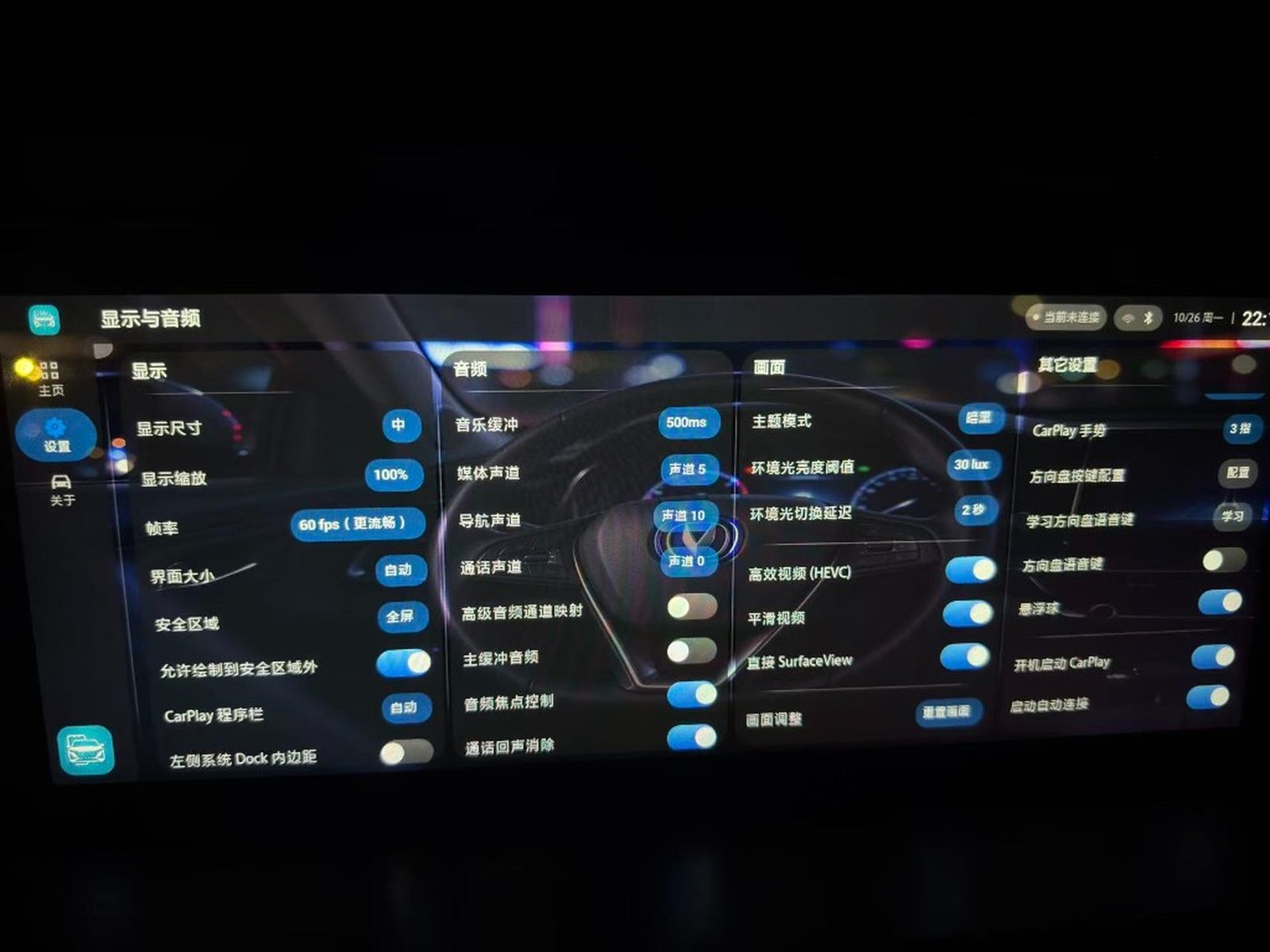
  • Settings stay on the shellDisplay & audio and About are three columns, and they are not edited on the CarPlay picture. Hidden apps and order are shared with CarPlay.
  • Languageszh-Hans / zh-Hant / en / ar / es / ru / uk.

Changan CS75 Plus 2020 only (OS_S311-WT · API 19 · armeabi-v7a).

Install and connect

  1. While parked, download the APK from GitHub Releases (USB or adb).
  2. Uninstall any differently signed 75Play, then install with the head-unit file manager.
  3. Open 75Play; keep Bluetooth on. Wi‑Fi Direct / car hotspot: switching auto-enables Wi‑Fi or configures the hotspot — then tap Connect CarPlay. LAN: pick Wi‑Fi and enter the password; CarPlay starts automatically after Wi‑Fi joins.
  4. Allow CarPlay on the iPhone.

ADB is optional. See the install guide for mode details. Full install guide

Screenshots

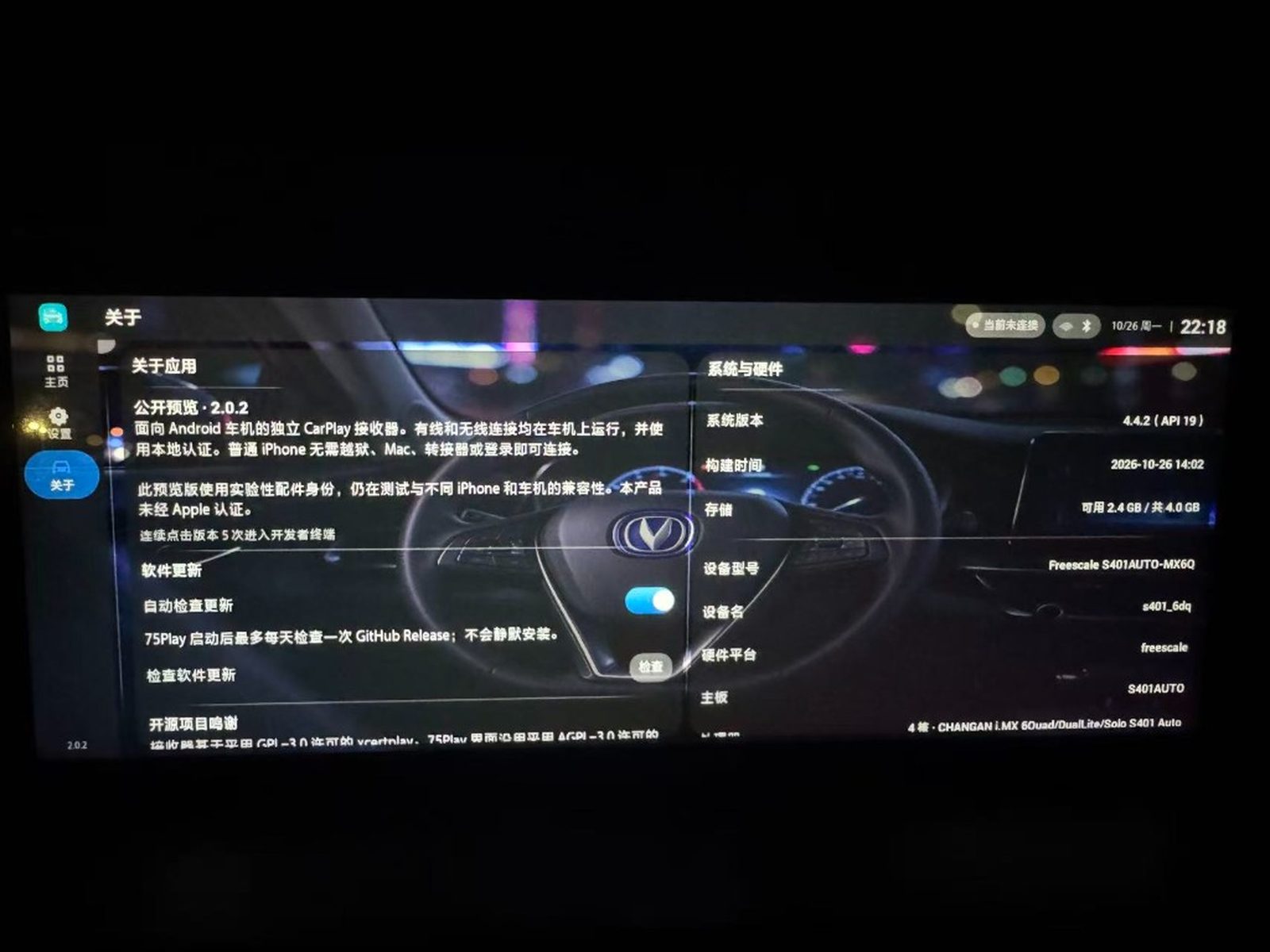
Shots are from a v2.0.2 head unit. In 2.0.3, Settings and About are three columns, so those two screens differ.

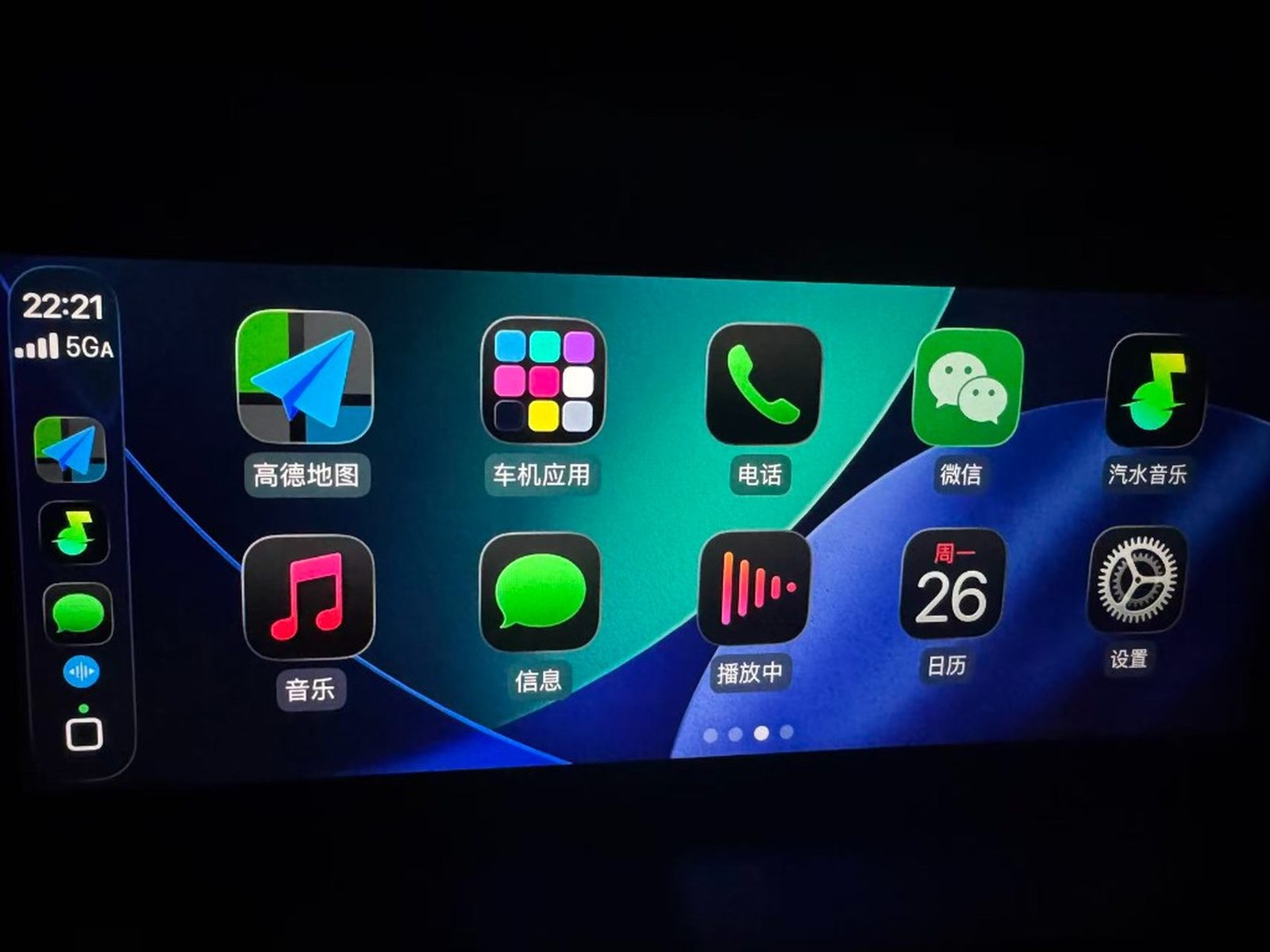
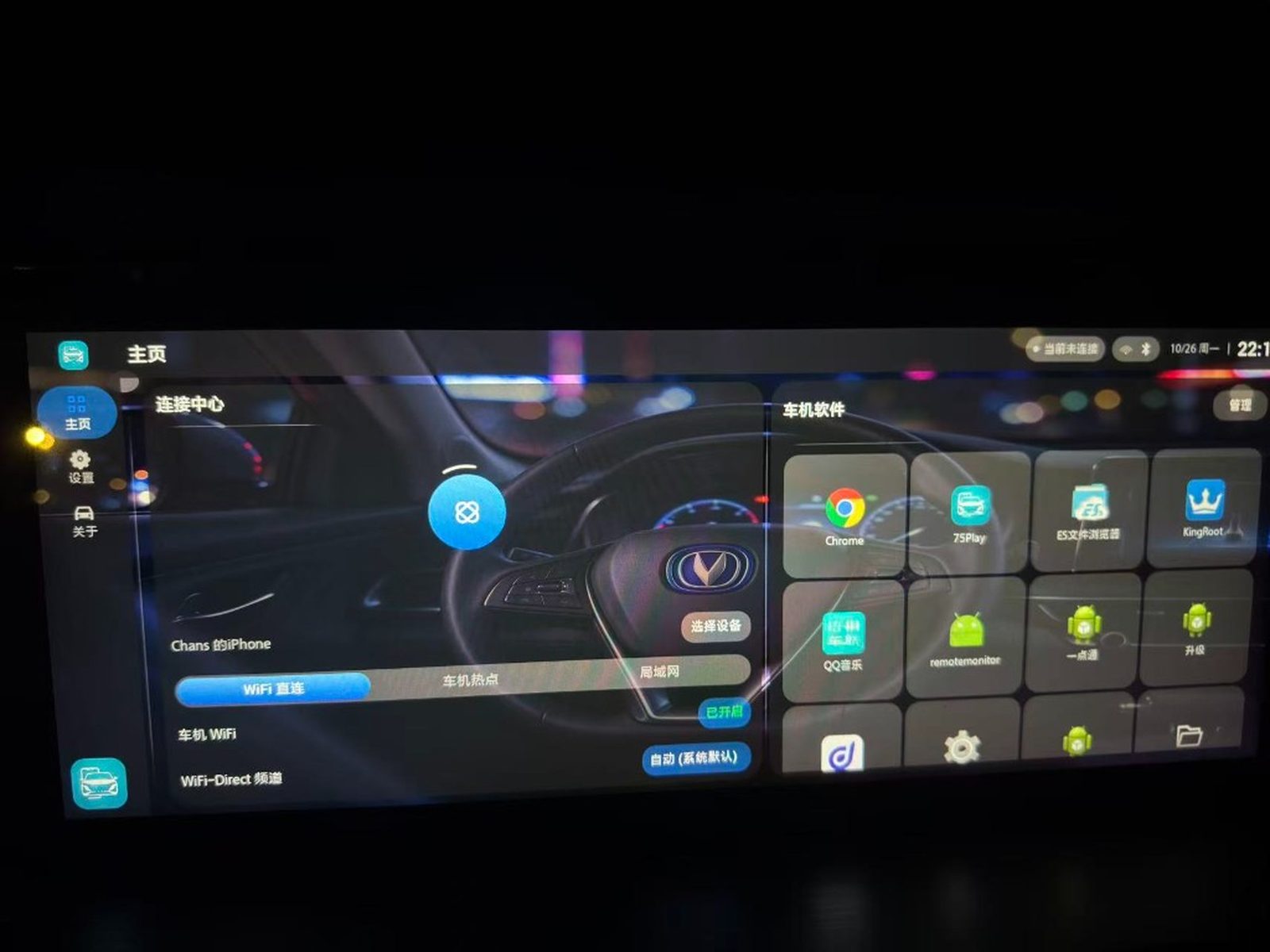
Connected CarPlay home Connection home Settings · display / audio About

Changelog

v2.0.3

  • CarPlay 前台方控音量 / 静音:改直调车机 coagent.settings 服务(IBinder.transact),补 KEY_SWC_VOL_INC/DEC 键名映射,MUTE 键在固件以 NONE 态广播时同样触发静音切换。实车验证音量加减、静音均已生效。
  • 方控:方向盘按键在 CarPlay 画面前台时由按键测试接管。语音唤醒 Siri,上一曲 / 下一曲,电话接听 / 挂断。音量和 SRC 交还车机。
  • 悬浮球:只负责回到壳层,默认关闭。方控学习、Root 注入和方控设置入口已去掉。
  • 显示:帧率可选 15 / 30 / 45 / 60,默认仍是 30,改动需要重连。画面固定全屏,固定走 SurfaceView 和 H.264。
  • 智能缩放:连接时按所选物理尺寸上报。中、小尺寸让 iPhone 显示「智能缩放显示」,大尺寸不显示。KitKat 上报的帧率至少为 60,避免 iOS 把这一项藏起来。实际解码仍用设置里的帧率。
  • 主题:跟随系统时读取车机大灯主题(coagent_theme),不再只看 Android 的 uiMode。
  • 设置:显示与音频改成三列。去掉界面大小、左侧 Dock 内边距、自适应 PiP、隐藏顶栏 / 底栏、Root 全局隐藏导航栏、HEVC、画面调整、直接 SurfaceView、高级通道映射、音频焦点和通话语音过滤。旧的顶栏 / 底栏开关不再读取,画面保持全屏。若以前开过 Root 隐藏导航栏,启动时把系统属性改回,不重启显示服务。
  • 连接:Wi‑Fi Direct 只使用 IPv4,并只走 KitKat 的组网。以前选过的 LocalOnly 热点会当成车机热点。直连失败时先自动重置一次,再次失败才提示。

v2.0.2

  • 壳层:面板不再描边。浅色正文为纯黑,浅色玻璃更透,顶栏与左侧导航连在一起。暗色未连接按钮改为蓝色圆盘。
  • 连接:连接中重新显示准备、网络、手机、握手、画面。
  • 音量:导航提示播放时,音量键改调导航,结束后回到媒体。导航音轨打不开时不再退回媒体音轨。
  • 方控:媒体键在按下时发给 iPhone。已有会话时,壳层也能把方控转进去。
  • 悬浮球:默认停在左下,避开右侧应用栏。
  • 画面:ChaCha20-Poly1305 用本地库解密,帧缓冲复用,按有效长度入队。
  • 回声消除:Speex 改为定点运算。
  • 主页:界面已经拆掉时,不再因为测量连接按钮而闪退。

v2.0.1

  • 壳层:贴边导航和顶栏(页名、连接状态、时钟)。主页上连接与车机应用左右铺开。
  • 连接:空闲和连接中是 CarPlay 标志,已连接换成播放,点一下回到投屏。进度只在连接中出现;连接中可以取消,已连接可以断开。三指回到主页后,顶栏保持已连接。
  • 进入 CarPlay:只承载画面和触控,不再盖加载层,也不在画面里放设置。
  • 返回:三指下滑回到 75Play。从桌面再次打开则回到 CarPlay。
  • 应用列表:主页和 CarPlay 里的隐藏、排序共用同一份记录。
  • 开发者终端:关于页入口保留,打开前需确认。
  • 车机热点:启用收成一处,壳、开机和连接不再各写一套。
  • 进入画面:后台连接记下当前屏幕旋转和窗口大小。Host 不再把不一致的旋转当成屏幕变化,拆掉会话再连一次。

Full CHANGELOG on GitHub

Updates & signing

Signed with v1+v2 for Android 4.4. Same-key updates overwrite; in-app update checks this repo’s Releases.

Issues & diagnostics

About → Diagnostic report → Export. Attach the .txt to a GitHub Issue with firmware and steps. Never post hotspot passwords.

Report an issue · New issue